
Requirements
- Docker must be installed and running on your server/workstation.
- Ensure your client PC can reach the server IP and port (default 5000).
- Server user must have permission to use Docker (usually in the docker group).
Everything you need to install Octo, create your first project, and run code locally or remotely.
Octo consists of three components, here you can see a simple setup of octo in your Network:
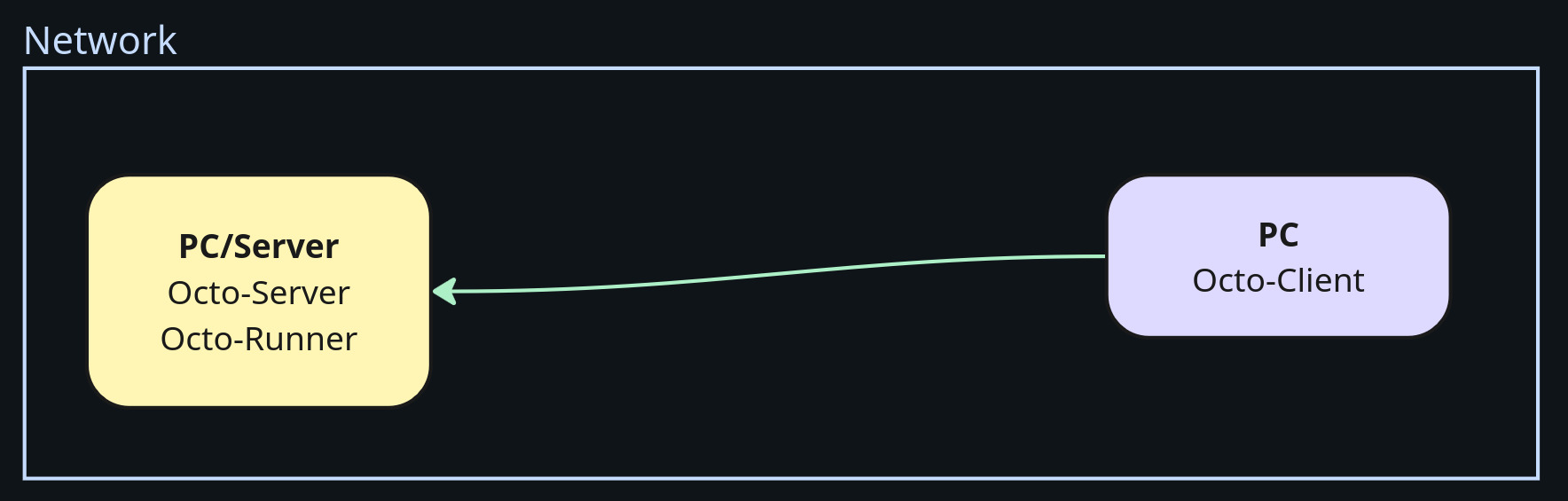
Install Octo-Server and Octo-Runner on your server/workstation, and Octo-Client on your PC.
octo --help, octo-server --help or octo-runner --help to check installation.On your server open two terminal windows:
octo-server token-add token123octo-server serverocto-runner --token token123On your PC, login with:
octo login --token token123 --server http://192.168.0.172:5000Run your code with octo:
octo run main.py| Command | Description |
|---|---|
octo login --token token123 --server http://ip:port | Login to server |
octo run main.py | Run entry file in project folder |
octo config --help | Show config help |
octo config --docker python:3.11 | Set Docker image |
octo config --install | Install requirements.txt |
octo config --noinstall | Skip requirements.txt installation |
octo config --gpu all | Set GPU usage (e.g. none, all, 0, 0,1) |
octo config --ram 8g | Set RAM limit |
octo config --cpu 2 | Set CPU limit |
octo config --shm-size 1g | Set shared memory size |
octo build Dockerfile --tag myimage:latest | Builds the Dockerfile in current folder on remote runner |
| Command | Description |
|---|---|
octo-server server | Start server |
octo-server token-list | List tokens |
octo-server token-add demo-token | Add a new token |
octo-server token-remove demo-token | Remove a token |
octo-server server --host 0.0.0.0 --port 5001 | Start server with custom host and port |
| Command | Description |
|---|---|
octo-runner --token demo | Start runner with token |
octo-runner --token demo --server http://ip:5001 | Start runner with custom server host |
Here is a showcase on how to use Octo in your project:
Let’s say you have a high-end workstation and want to run code there because execution is faster or you have better GPUs.
SSH into your server:
ssh user@ipCheck existing tokens:
octo-server token-listAdd a new token:
octo-server token-add demo-tokenStart the runner in a second terminal window:
octo-runner --token demo-tokenOn your PC go to your project folder:
cd demo_projectLogin to your server:
octo login --token demo-token --server http://192.168.0.172:5000Configure resource limits:
octo config --docker python:3.11 --noinstall --gpu all --cpu 2 --ram 8Run your code:
octo run main.pyCheck installation and tokens if runners don’t connect.